PIC Screen Capture
A portable Windows utility for capturing and annotating screenshots. It is a single-file Rust + Win32 native app that runs without an installer.
PIC
Windows · v0.2.0Capture regions, application windows and monitors, move text annotations, edit images and review unsaved captures individually.
Release asset updated: 2026-10-22 · 6,489,600 bytes
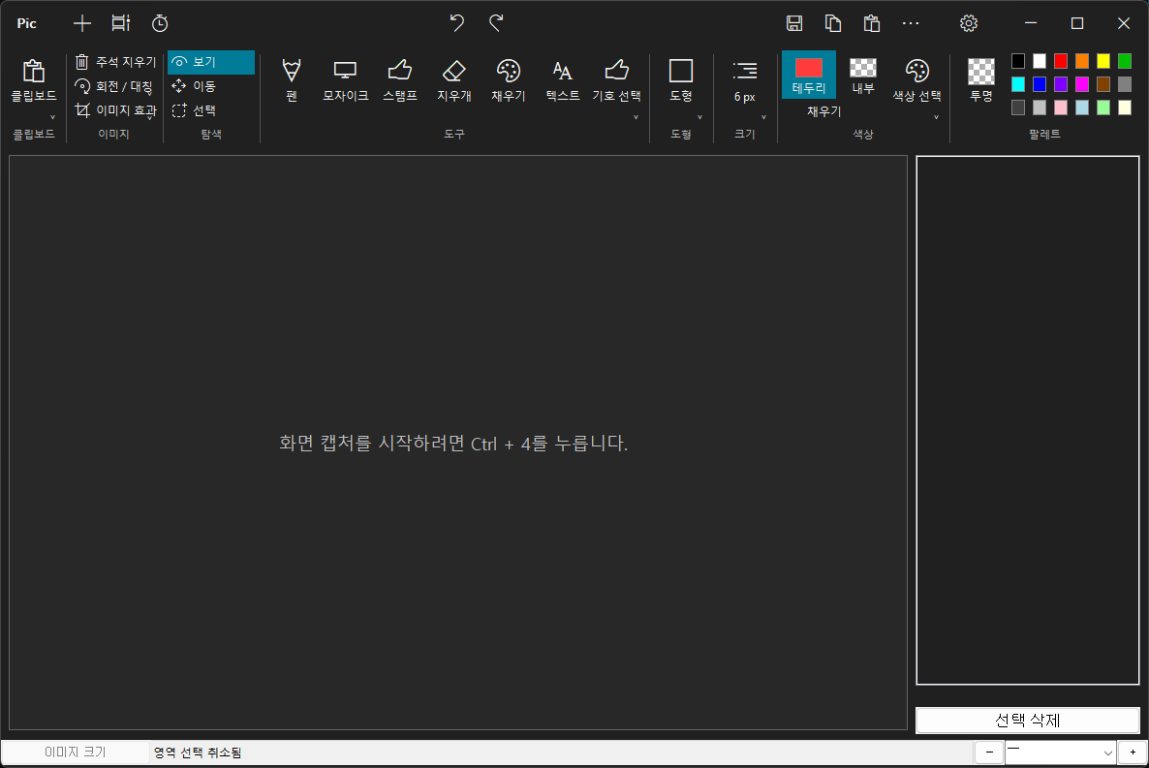
Key features
Region, window and monitor capture
Capture a region, a selected application window, the current monitor, or all monitors, with delayed capture when needed.
Annotation and movable text
Use the pen, shapes, text, mosaic, selection tools and effects. Drag existing text areas to reposition them with undo/redo support.
Precise image adjustments
Crop and resize images, zoom, and undo or redo edits.
Per-capture save review
Export PNG, copy to clipboard and manage capture history. On exit, review unsaved captures individually or discard all remaining captures.
Five languages and customization
English is the default; Korean, Simplified Chinese, Japanese and Russian are supported. Configure global shortcuts, toolbar layout, colors and theme.
Portable and lightweight
A single native Windows EXE with no installer or separate runtime required.
Requirements: Windows 10 version 2004 or later (Windows 11 recommended)
Distribution: Single portable EXE; no installer required
Before you run it
This executable is not digitally signed. Windows may show an unknown-publisher warning. Verify the SHA-256 value before running it, and run it only if you trust the publisher.
SHA-256 (v0.2.0, 2026-10-22): F68BCEA42B5875F8E79A98657EB3625000F8F03F4FCA4EFA85DFE3040379434C
PowerShell: Get-FileHash .\pic.exe -Algorithm SHA256
Downloads are served by the public GitHub release; Dokebi does not transfer the executable.